Finding The Right Tech Gadgets For Student Life
When starting a new school year or preparing for college, it’s easy to feel overwhelmed by the many tech gadgets available. From headphones to portable monitors, each device serves a different purpose but also comes with its own set of choices and compromises.
Picking the right tools means balancing quality, convenience, and price. Some gadgets focus on comfort and sound quality, while others prioritize portability or connectivity. Understanding what matters most for your daily routine can help avoid spending on features you won’t use.
This guide will help you navigate the variety of tech essentials students often need. It breaks down the key considerations so you can make informed decisions that fit your study habits, lifestyle, and budget.
What Matters Most When Choosing Student Tech
Not every feature is equally important for every student. For example, noise-canceling headphones might be essential for studying in busy environments, while a portable monitor could benefit those who multitask or work on creative projects. Power banks and charging stations help keep devices ready for long days on campus.
Think about your typical day: where you’ll use the gadget, how much portability you need, and whether you prefer simplicity or advanced features. Also, consider compatibility with your existing devices and how easy it is to set up and use.
Common Mistakes To Avoid
One common error is choosing gadgets based solely on specs or brand names without considering practical needs. Overbuying can lead to paying for unnecessary features, while underestimating comfort or battery life can cause frustration.
It’s also important to check how a device fits into your existing tech ecosystem. Some products require specific connections or apps that may not work smoothly with your other gear.
Lastly, avoid rushing your decision. Taking time to compare options based on your personal priorities will lead to better satisfaction.
With these points in mind, the following selections cover a range of tech gadgets suited for different student needs. Each one was chosen for its balance of function and usability, helping you find what fits your lifestyle best.
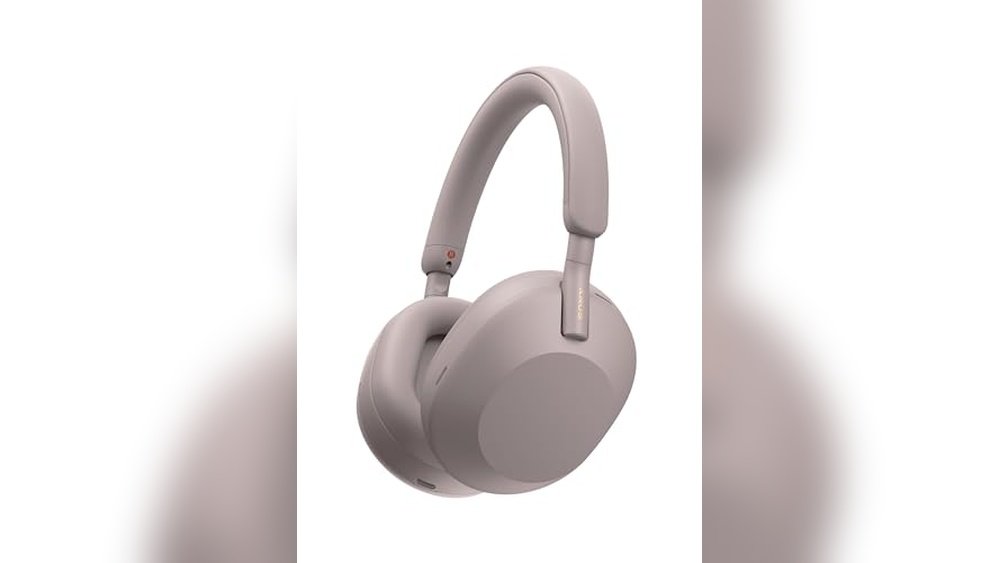
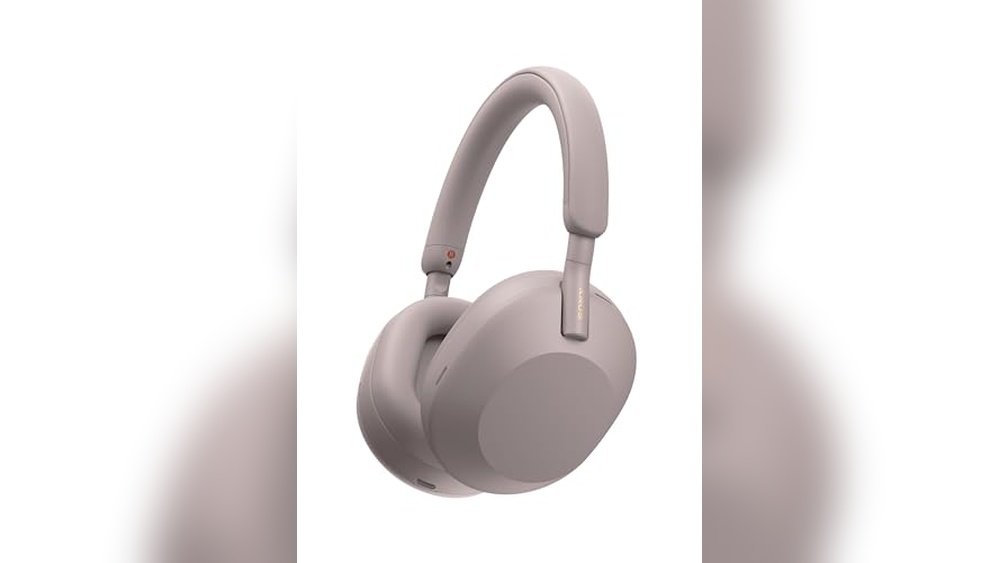
Sony Wh-1000xm5 Wireless Headphones
Among the 10 Must-Have Tech Gadgets for Students 2026, these headphones stand out for delivering top-tier noise cancellation to help students focus in any environment.

The Sony WH-1000XM5 Wireless Headphones are premium over-ear headphones designed to block out distractions with advanced noise cancellation technology. The Auto NC Optimizer adjusts sound cancellation automatically based on how you wear them and your surroundings, making focus easier during study sessions.
Wearing these headphones feels comfortable for long hours thanks to their lightweight design and soft leather fit. Calls come through clearly without needing to hold the phone, and the long battery life ensures they’ll last through a day full of classes and study breaks.
Key Advantages for Focused Study
- Industry-leading noise cancellation with 8 microphones and dual processors
- Automatic adjustment to optimize noise canceling based on environment
- Clear hands-free calls with 4 beamforming microphones
- Up to 30 hours of battery life and fast charging capability
- Lightweight and comfortable fit for extended wear
Considerations Before Buying
- Premium price point may not fit all student budgets
- Over-ear design can feel warm during extended use in hot climates
- Does not include detailed equalizer controls within the basic setup
Who This Works Well For
These headphones are ideal for students who need to block out noisy environments like dorms, libraries, or cafes. They remove the hassle of adjusting settings manually thanks to the Auto NC Optimizer, which helps maintain consistent focus without distractions.
For best results, try them during long study sessions or virtual classes to minimize background noise and improve concentration. Their reliable battery life and comfort provide peace of mind for all-day use.
| Best for | Why |
|---|---|
| Students in noisy dorms | Advanced noise cancellation blocks distractions effectively |
| Online class participants | Clear hands-free calling with precise voice pickup |
| Long study sessions | Lightweight design and 30-hour battery support comfort and endurance |
| Users seeking simple setup | Automatic noise cancellation optimization removes guesswork |
Apple Airpods 4 Wireless Earbuds
Among the 10 Must-Have Tech Gadgets for Students 2026, these earbuds stand out for their active noise cancellation and comfort, ideal for focused study sessions.

The Apple AirPods 4 Wireless Earbuds are designed to deliver clear sound and reduce distractions through active noise cancellation, helping students concentrate better during study or lectures. The redesigned fit provides all-day comfort and secure wear, making them practical for long hours.
Using these earbuds feels seamless and intuitive; they automatically pause when removed and easily connect to devices. Features like Transparency mode and Conversation Awareness keep users aware of their surroundings without removing the earbuds, enhancing safety and convenience on campus.
Key Listening Benefits
- Active Noise Cancellation blocks outside noise for better focus
- Adaptive Audio adjusts sound based on environment
- Comfortable fit with a refined contour and shorter stem
- Voice Isolation improves call clarity in noisy places
- Hands-free Siri access and simple device pairing
- Automatic audio pause when earbuds are removed
- Wireless and USB-C charging options for convenience
Considerations for Use
- Premium price may not fit all student budgets
- White color may show dirt more easily with heavy use
- Best suited for Apple device users to maximize features
Where These Earbuds Work Best
These earbuds suit students who need reliable noise cancellation for libraries or busy study spaces. They remove the hassle of adjusting settings frequently by adapting automatically to surroundings. To get the best experience, pair them promptly with your Apple device and explore Transparency mode for safe outdoor use.
They also bring peace of mind with their Find My app integration, minimizing the chance of losing them during a busy school day. For students valuing comfort and sound quality, these earbuds blend functionality and ease effortlessly.
| Best for | Why |
|---|---|
| Students in noisy environments | Effective active noise cancellation helps block distractions |
| Apple device users | Seamless pairing and full feature support with Apple ecosystem |
| Long study sessions | Redesigned for all-day comfort and stable fit |
| On-the-go learners | Transparency mode and Conversation Awareness keep awareness |
Kootek Laptop Cooling Pad
Among the 10 Must-Have Tech Gadgets for Students 2026, this cooling pad keeps laptops cool quietly, perfect for long study or gaming sessions.

The Kootek Laptop Cooling Pad is designed to prevent overheating during heavy laptop use by providing quiet and efficient cooling. It features five fans with adjustable settings, so you can control airflow depending on your needs. This helps maintain laptop performance and longevity without distracting noise.
Using this cooling pad feels stable and comfortable thanks to its adjustable height settings and secure stoppers. It improves ergonomics and reduces discomfort during long study or gaming sessions. The extra USB hub adds convenience by expanding connectivity options.
Key Benefits for Laptop Users
- Super quiet fans for distraction-free use
- Multiple fan speeds with easy on/off control
- Ergonomic stand with six adjustable heights
- Prevents laptop slipping with front stoppers
- Built-in dual USB hub for extra device connections
- Compatible with laptops from 12 to 17 inches
Considerations Before Buying
- Requires a USB-to-USB connection; Type C users need an adapter
- Relatively large footprint may limit desk space
- Weight of about 2.5 pounds adds some bulk for portability
Where This Cooling Pad Excels
This cooling pad is ideal for students using mid- to large-sized laptops who want to avoid overheating during extended work or gaming. It removes the worry of laptop slowdowns or damage caused by heat buildup. Adjusting fan speed and height settings is simple, letting you customize comfort and cooling easily.
For best results, make sure your laptop’s air vents align well with the fans, and use the stoppers to keep your device secure. The solid build provides peace of mind that your laptop stays stable and cool without extra noise. It’s a practical accessory for anyone serious about laptop care and comfort.
| Best for | Why |
|---|---|
| Students with 12-17″ laptops | Fits a wide range of laptop sizes securely |
| Long study or gaming sessions | Quiet fans maintain focus without noise distractions |
| Users needing ergonomic support | Adjustable height settings improve comfort |
| Those requiring extra USB ports | Built-in dual USB hub expands connectivity |
Logitech C920x Hd Pro Webcam
As one of the 10 Must-Have Tech Gadgets for Students 2026, this webcam offers clear Full HD video and reliable audio for smooth online classes and video calls.

The Logitech C920x HD Pro Webcam is a reliable tool designed for students who need a clear and professional video presence during virtual classes or group projects. It solves the common problem of poor video quality by providing Full HD 1080p video at 30 frames per second, ensuring your image stays sharp and vibrant. Its HD light correction automatically adjusts to different lighting conditions, so you don’t have to worry about looking dim or washed out.
Using this webcam feels seamless and consistent, whether you’re attending online lectures, video conferencing, or streaming. The stereo audio with dual microphones captures natural sound, making conversations clearer. It’s easy to set up and works with popular platforms like Microsoft Teams, Google Meet, and Zoom, giving students confidence that their tech won’t hold them back.
Key Advantages for Students
- Bright, sharp image quality with automatic HD light correction
- Full HD 1080p video ensures professional-looking calls and recordings
- Stereo audio with dual microphones captures clear, natural sound
- Compatible with major video platforms and Nintendo Switch 2 GameChat mode
- Easy setup and reliable autofocus for consistent framing
- Compact and lightweight design fits well on laptops or desktops
Considerations Before Buying
- No built-in privacy shutter, so manual covering is needed for privacy
- Limited to 30 frames per second, not ideal for fast-motion video recording
- Does not include advanced background removal or virtual effects
Why This Webcam Works Well for Students
This webcam is ideal for students who attend frequent video classes or participate in group calls. It removes the uncertainty of poor video quality and helps maintain a professional appearance without complicated setup. A quick tip is to position the webcam at eye level to make video chats feel more natural and engaging.
Its compatibility with common communication apps and consistent performance provides peace of mind that your virtual presence will be clear and reliable. If you prefer straightforward tech that just works, this webcam fits that style perfectly.
| Best for | Why |
|---|---|
| Online Classes | Delivers clear, bright video and natural sound for effective remote learning |
| Group Project Meetings | Offers reliable autofocus and stereo audio for smooth collaboration |
| Streaming and Content Creation | Full HD video and advanced capture software support quality recordings |
| Gaming Voice Chat | Compatible with Nintendo Switch 2’s GameChat mode for in-game communication |
Anker Powercore Essential 20k
Among the 10 Must-Have Tech Gadgets for Students 2026, this portable charger stands out for its high capacity and reliable dual charging ports, perfect for keeping devices powered throughout busy days.

The Anker PowerCore Essential 20K is a portable charger designed to keep your devices powered when you’re on the move. With a massive 20,000mAh battery, it can recharge smartphones multiple times, ensuring you stay connected during long study sessions or campus days.
Using this power bank means fewer interruptions and less worry about running out of battery. Its bi-directional USB-C port allows charging two devices at once, saving time and adding convenience when you need it most.
Key Advantages for Students
- Large 20,000mAh capacity charges phones multiple times without recharging the bank frequently
- Dual charging ports enable powering two devices simultaneously
- Fast 15W USB-C charging for quicker power-ups
- PowerIQ technology ensures safe and optimized charging for all devices
- Compact and lightweight design fits easily into backpacks
- Includes USB-C cable and backed by an 18-month warranty for reliability
Considerations Before Buying
- Does not include USB-A to Lightning cable for iPhones; may need additional cables
- Limited to 15W output, which is slower than some high-wattage chargers
- Bulkier than smaller capacity power banks, so may feel less pocket-friendly
Who This Works Well For
This portable charger is ideal for students who spend long hours on campus or traveling and need dependable power for phones and earbuds. It removes the stress of low battery notifications and helps avoid last-minute searches for outlets.
To get the most from this charger, keep the USB-C cable handy and charge the power bank overnight. This setup offers peace of mind with consistent, safe charging backed by Anker’s technology and warranty. If you value reliability and capacity over ultra-fast charging, this fits your style well.
| Best for | Why |
|---|---|
| Long campus days | High capacity supports multiple device charges without recharging |
| Students with multiple devices | Dual ports allow simultaneous charging of phone and accessories |
| Users prioritizing safety | PowerIQ and VoltageBoost protect devices during charging |
| Those who pack light but need power | Compact dimensions fit easily in bags without bulk |
Remarkable 2 Paper Tablet
Among the 10 Must-Have Tech Gadgets for Students 2026, the reMarkable 2 offers a focused, paper-like writing experience ideal for note-taking and document review.

The reMarkable 2 is a digital writing tablet designed to replicate the feel of paper, making it easier to take notes, read, and review documents without distractions. Its ultra-thin design allows students to carry it anywhere comfortably, while the included Marker Plus pen features a built-in eraser for quick corrections.
Using the reMarkable 2 feels natural and focused, with no apps, ads, or notifications interrupting your workflow. Its long battery life and cloud sync capabilities help keep your work organized and accessible across devices, giving you confidence and consistency in your study routine.
Key Advantages for Student Use
- Authentic paper-like writing surface that reduces eye strain.
- No distractions from apps or notifications to maintain focus.
- Long battery life providing up to two weeks of use on a single charge.
- Organizes notes and PDFs with folders, tags, and text conversion.
- Includes Marker Plus pen with built-in eraser for easy editing.
- Unlimited cloud storage and syncing with a free 100-day Connect trial.
- Lightweight and slim for easy portability.
Considerations Before Buying
- Black and white display may not suit users needing color visuals.
- No app store limits functionality to note-taking and reading only.
- Requires subscription after trial for continued cloud sync access.
Who This Fits Best
This tablet is perfect for students who want a distraction-free digital notebook that closely mimics paper. It removes the hassle of managing multiple apps and the stress of digital clutter, allowing you to focus purely on your notes and studies.
To get the most out of it, organize your notes regularly with folders and tags, and use the handwriting-to-text conversion to streamline your workflow. You can rely on its durable battery and cloud backup to keep your work safe and accessible at all times. It’s a practical tool for those who value simplicity and clarity in their study habits.
| Best for | Why |
|---|---|
| Students who prefer handwriting notes | Provides a natural paper-like writing experience without distractions |
| Organized note takers | Offers folders, tags, and easy text conversion for better document management |
| Users needing long battery life | Up to two weeks on a single charge supports extended use without frequent charging |
| Those wanting distraction-free study time | No apps, ads, or notifications interfere with focus during work sessions |
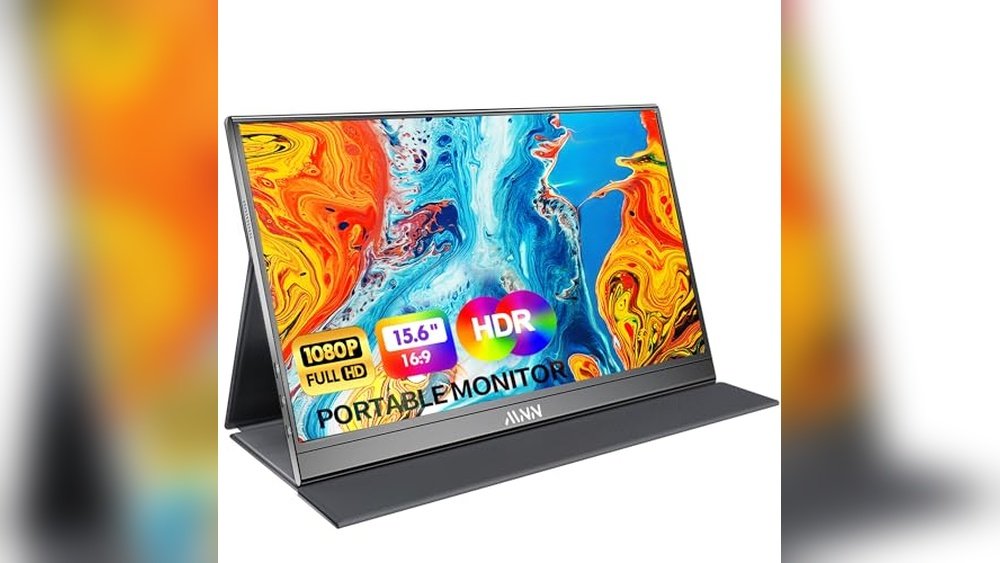
Arzopa 16.1″ Portable Gaming Monitor
One of the 10 Must-Have Tech Gadgets for Students 2026, this portable monitor enhances productivity and gaming with its smooth 144Hz refresh rate and vivid 106% sRGB display.
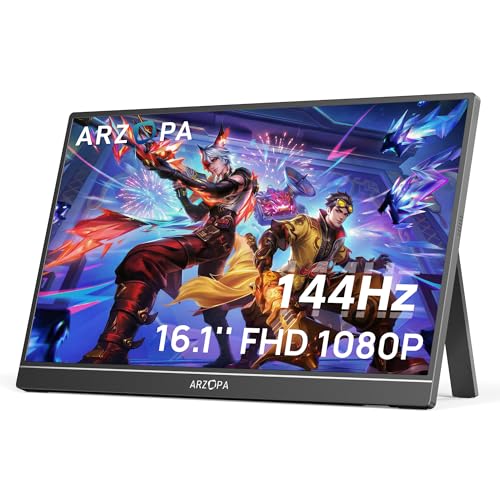
The ARZOPA 16.1″ Portable Gaming Monitor is a compact external display designed to improve your screen space for work or gaming without sacrificing image quality. Its 1080P Full HD resolution and wide color gamut provide clear visuals, making it easier to multitask or enjoy games on the go.
Using this monitor feels seamless thanks to its lightweight design and built-in kickstand, allowing quick setup anywhere. The high 144Hz refresh rate ensures smooth motion, which is especially useful for gaming or video work, helping you stay focused and efficient throughout your day.
Key Benefits for Students and Gamers
- High 144Hz refresh rate offers smooth visuals and lower input lag for gaming and fast-moving content.
- Portable with a built-in adjustable kickstand for easy setup and comfortable viewing angles.
- Vibrant 106% sRGB IPS display delivers sharp colors and clear detail for work or entertainment.
- Acts as a second screen to boost productivity by allowing multitasking on laptops or PCs.
- Simple plug-and-play connectivity with USB Type-C and Mini HDMI ports for versatile device compatibility.
- Ultra slim and lightweight design makes it easy to carry between classes or locations.
Considerations Before Buying
- Does not support adaptive sync technologies like FreeSync, which may affect gaming smoothness for some users.
- Screen size is 16.1″, which may be small for detailed design or editing tasks.
- Weight of over 3 pounds may be noticeable in a packed student bag.
Who This Monitor Works For
This portable monitor is ideal for students and remote workers who want to expand their screen space without carrying bulky equipment. It removes the hassle of limited laptop screens and helps reduce eye strain with its eye care features.
For gamers or content creators on the move, this monitor delivers smooth visuals and vibrant colors, making it easier to stay productive or entertained in any setting. To get the most out of it, position the kickstand for the best ergonomic angle and pair it with a compact keyboard for a complete mobile setup.
Its reliability and easy setup offer peace of mind, letting you focus on your tasks without technical delays or surprises. If you value portability combined with performance, this is a solid choice.
| Best for | Why |
|---|---|
| Students attending remote classes | Allows easy multi-window work and note-taking alongside lectures. |
| Casual and competitive gamers | Offers a high refresh rate display for smoother gameplay on consoles and PCs. |
| Traveling professionals | Lightweight design and built-in kickstand enable quick setup anywhere. |
| Multitaskers using laptops | Provides a second screen to increase productivity and workflow efficiency. |
Anker 525 Charging Station
Among 10 Must-Have Tech Gadgets for Students 2026, this charging station keeps multiple devices powered safely and neatly in dorms or study spaces.
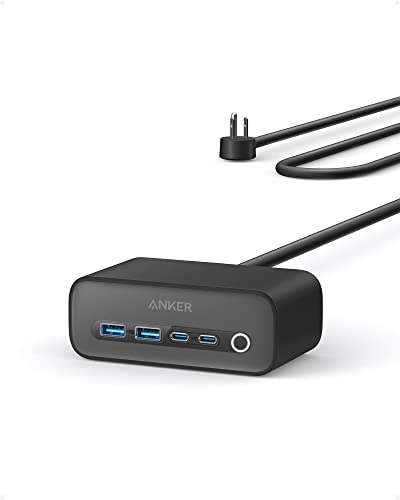
The Anker 525 Charging Station is a versatile power strip designed to charge multiple devices efficiently while reducing clutter. It features a combination of AC outlets and USB ports, allowing students to power laptops, phones, and other gadgets simultaneously without hassle.
Using this charging station feels organized and reliable, as it offers easy front-facing ports and temperature regulation for safe charging. It saves time by powering up to four devices at once, making study sessions and dorm life more convenient and less stressful.
Key Benefits for Student Power Needs
- Charges up to four devices simultaneously with fast 65W power delivery.
- Front-facing USB ports provide easy access without reaching behind the unit.
- ActiveShield 2.0 ensures safe charging by regulating temperature and power.
- Back-positioned AC outlets help keep cables organized and out of the way.
- Compact size fits well on desks without taking up much space.
- Includes a 5ft extension cord for flexible placement.
- Offers a strong warranty with connected equipment coverage.
Considerations Before Buying
- Limited to 65W total power, which may not suit very high-demand devices simultaneously.
- Black color may show dust or fingerprints more easily.
- Does not include surge protection details beyond temperature regulation.
Where This Charging Station Excels
This charging station is ideal for students who need a neat and safe way to power multiple devices in small spaces like dorm rooms or study desks. It removes the guesswork about device safety with smart temperature control and helps reduce cable clutter with smart outlet placement.
To get the most out of it, place it where you can easily reach the front USB ports and keep your devices organized while charging. The peace of mind that comes from the warranty and safety features makes it a dependable daily companion for tech-savvy students.
| Best for | Why |
|---|---|
| Students with multiple devices | Supports simultaneous charging of laptops, phones, and accessories with varied ports. |
| Dorm rooms and compact spaces | Compact design and cable management features keep small areas tidy. |
| Users prioritizing device safety | ActiveShield 2.0 technology regulates temperature and power to protect devices. |
| Those needing easy access ports | Front-facing USB ports allow quick plugging without moving the station. |
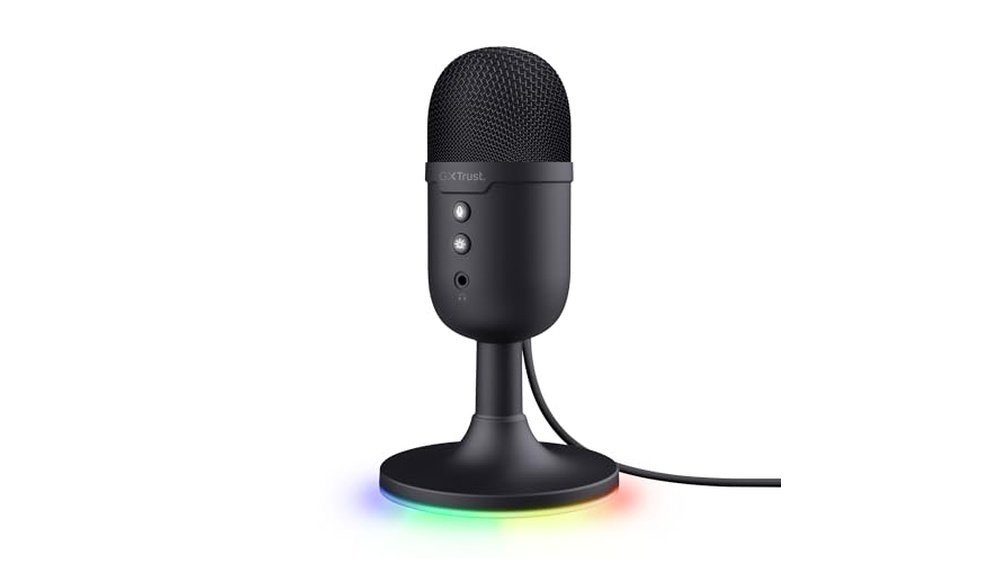
Fifine Usb Metal Condenser Mic
Among the 10 Must-Have Tech Gadgets for Students 2026, this USB microphone delivers clear voice recording perfect for streaming, meetings, and online classes.

The FIFINE USB Metal Condenser Mic is a plug-and-play USB microphone designed for students who need clear audio for recording vocals, streaming, or online meetings. Its durable metal build and cardioid pattern focus on voice clarity while reducing background noise, making it ideal for study and creative projects.
Using this microphone feels straightforward and reliable, with a volume knob for easy sound adjustments and a stable tripod stand that keeps it steady on your desk. It offers consistent performance without complex setup, helping students communicate confidently in virtual classrooms or content creation.
Key Advantages for Clear Communication
- Plug-and-play USB connection for quick setup on PC and Mac
- Durable metal design with a stable tripod stand for long-term use
- Volume knob allows precise control over mic sensitivity and privacy
- Cardioid pickup captures clear voice and minimizes background noise
- Compatible with popular platforms like Zoom, Discord, and OBS
- No need for external phantom power supply
Considerations Before Buying
- Not compatible with Xbox consoles or mobile phones
- Weight of 0.35 pounds may require careful placement to avoid tipping
- Limited color option (Black only)
Who This Mic Works Best For
This microphone is best suited for students who regularly attend online classes, participate in group meetings, or create vocal recordings and videos. It removes the guesswork of complex audio setups by offering straightforward USB connectivity and easy volume control.
To get the best results, position the mic close to your mouth and adjust the volume knob to reduce background noise without losing clarity. This ensures reliable, professional-sounding audio with fewer distractions during presentations or streams.
| Best for | Why |
|---|---|
| Online classes and meetings | Clear voice capture and noise reduction improve communication |
| Content creators and streamers | Cardioid pattern focuses on vocals for better recording quality |
| Podcasting beginners | Simple plug-and-play setup without extra power needed |
| PC and Mac users | Wide compatibility with desktop and laptop systems |
Ophayapen Smart Sync Pen
Among the 10 Must-Have Tech Gadgets for Students 2026, this pen stands out by digitizing handwritten notes instantly for easy organization and sharing.

The Ophayapen Smart Sync Pen is a digital pen kit designed to capture and convert handwritten notes into digital files effortlessly. It helps students keep their ideas organized and accessible by syncing notes in real-time to smartphones and tablets through a dedicated app. Its OCR handwriting recognition converts writing into editable digital text, making note review and sharing straightforward.
Using this pen feels natural and smooth, similar to writing on paper, but with added digital benefits. It saves time by allowing easy searching of notes with keywords and tags, and recording audio alongside notes adds valuable context. This tool reduces stress around lost or messy notes and makes studying more efficient.
Advantages for Students
- Real-time syncing to iOS and Android devices ensures notes are always backed up.
- OCR converts handwriting to editable digital text for easy sharing and editing.
- Searchable notes by keywords and timestamps improve study efficiency.
- Supports multiple file formats (PDF, Word, PNG, GIF, MP4) for flexible sharing.
- Simultaneous audio recording links sound to notes for better recall.
- Includes notebook and writing board for a complete note-taking setup.
Considerations Before Buying
- Requires use of the Ophaya Pro+ app for syncing and note management.
- Relies on digital device compatibility (smartphone or tablet required).
- Weight of 2.44 pounds may be heavier than a standard pen setup with accessories.
When This Tool Works Best
This sync pen is ideal for students who prefer handwriting but want the convenience of digital organization. It removes the hassle of manual transcription and searching through physical notes. To get the most out of it, regularly sync your notes to avoid data loss and make use of the audio feature during lectures for added context.
It offers peace of mind by ensuring your notes are stored securely and easily accessible anytime. For those who value a blend of traditional note-taking and digital efficiency, this pen supports a smooth transition without losing the tactile feel of writing.
| Best for | Why |
|---|---|
| Students attending lectures | Records notes and audio simultaneously, capturing full context. |
| Handwriting lovers switching to digital | Converts handwriting to text without losing the pen-and-paper feel. |
| Organizing extensive notes | Searchable, timestamped notes make reviewing efficient. |
| Sharing notes with peers | Exports in multiple formats for easy distribution. |
Understanding Your Needs Before Choosing
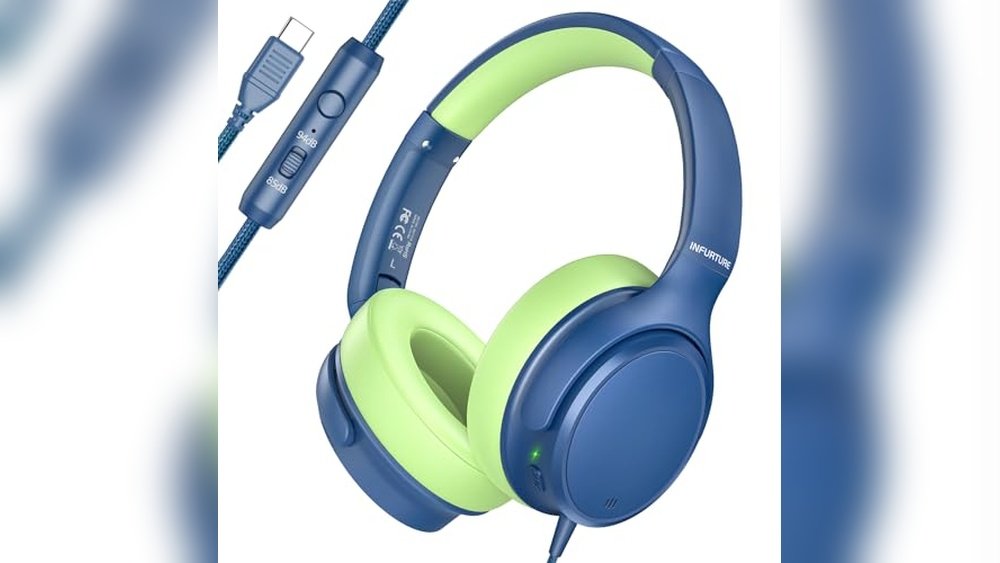
Consider what primary function you want your device to serve. For instance, if you seek immersive audio for music or calls, over-ear headphones or earbuds with active noise cancellation are ideal. For productivity, computer monitors or laptop cooling pads improve comfort and efficiency. For content creation or communication, webcams and microphones are key. Digital pens and tablets focus on note-taking and drawing needs.
Common Decision Factors And Trade-offs
Portability vs. Performance
Smaller devices like earbuds, portable monitors, and digital pens offer mobility but may compromise battery life or feature sets. Larger equipment such as over-ear headphones or desktop webcams often provide enhanced performance but less convenience on the go.
Comfort and Fit
For wearable devices like headphones and earbuds, comfort during prolonged use is crucial. Look for lightweight designs, adjustable fittings, and materials that reduce fatigue.
Connectivity and Compatibility
Check device compatibility with your existing hardware and software. USB-C ports, Bluetooth versions, and app support vary and affect usability.
Battery Life and Charging
Consider how long devices operate before recharging. Quick charge features can mitigate shorter battery life but may require specific cables or adapters.
Potential Confusions And Clarifications
Noise Cancellation Types
Active noise cancellation uses microphones and processing to reduce ambient sounds, while passive cancellation relies on physical design. Understanding this helps set realistic expectations.
Wireless vs. Wired
Wireless devices offer freedom of movement but may introduce latency or connection issues. Wired options typically provide consistent performance but less convenience.
Device Compatibility Terms
Terms like “works with iOS and Android” or “compatible with Windows and Mac” indicate supported systems. Verify if additional drivers or apps are needed.
Care And Maintenance Tips
Keep devices clean and store them safely to prolong lifespan. For electronics, avoid exposure to moisture and extreme temperatures. Regularly update firmware or software to maintain optimal functionality.
Frequently Asked Questions
How important is the battery life for wireless headphones and earbuds?
Battery life determines how long you can use the device between charges. Choose a device with battery life that fits your daily usage patterns.
Can I use laptop cooling pads with any laptop size?
Most cooling pads specify compatible laptop sizes. Ensure your laptop falls within the recommended size range for effective cooling.
Are portable monitors compatible with gaming consoles?
Many portable monitors support HDMI or USB-C connections compatible with gaming consoles, but check the monitor’s specifications for confirmation.
Do digital pens require special paper or notebooks?
Some digital pens work with specific notebooks or writing boards to capture input accurately. Verify compatibility before purchase.
Is active noise cancellation effective in all environments?
Active noise cancellation works best against consistent, low-frequency sounds like engine noise. Sudden or high-frequency sounds may be less effectively canceled.
Final Considerations
Focus on matching device features with your primary needs and usage habits. Consider comfort, compatibility, and environment where you will use the product most. Taking time to evaluate these factors helps ensure satisfaction with your choice over time.