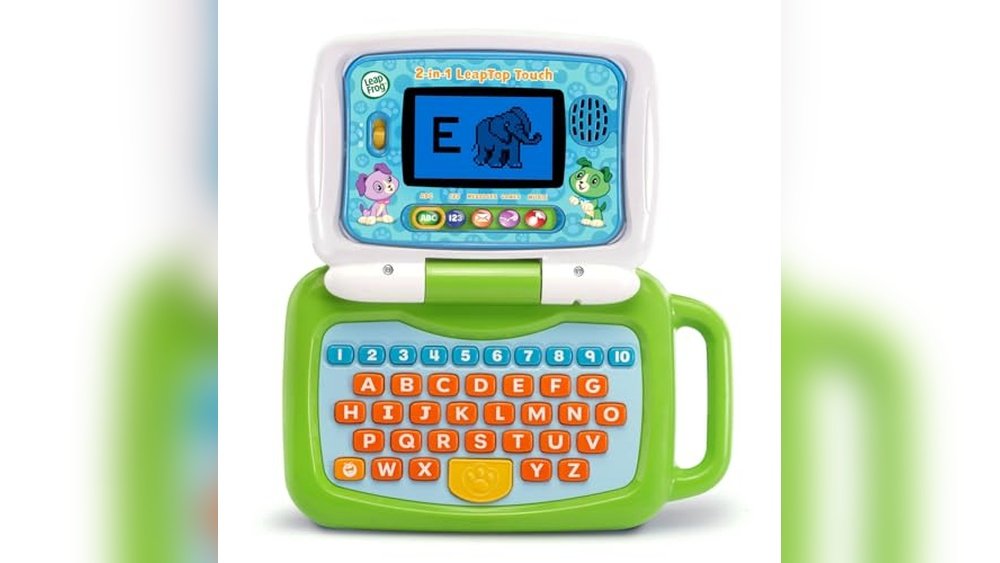
Kids now spend more than 2 hours a day on screens, but not all that time is wasted. The right educational apps can turn screen time into learning time—boosting reading, math, science, and creativity. In 2026, parents have hundreds of choices, but not all apps are equal. Which ones really help kids grow? This guide covers the best educational apps for kids (free and paid), with real examples, data, and practical tips so you can pick the smartest tools for your child’s success.
Why Educational Apps Matter In 2026
Today’s kids learn differently. Interactive apps bring subjects to life. Gamified lessons boost focus. Adaptive technology meets kids at their level. In fact, studies show that “active learning” with digital tools leads to 30% better retention compared to traditional methods.
But the app store is a jungle. Some apps are flashy but shallow. Others hide key features behind paywalls. And not all are safe or age-appropriate. That’s why a careful comparison is essential.
Top 12 Educational Apps For Kids 2026
Below are the most effective apps—chosen for content quality, value, safety, and fun. Apps are listed by subject and age group, with tips for parents.
1. Khan Academy Kids
Ages: 2–8 | Free
Khan Academy Kids offers a full curriculum—reading, math, logic, and social-emotional learning. The app uses adaptive activities so children always feel challenged but not frustrated. Real teachers designed every lesson.
- Unique feature: No ads, ever.
- Tip: Set up a parent account to track progress.
2. Duolingo Abc
Ages: 3–7 | Free
From the makers of Duolingo, this app teaches early reading. Kids trace letters, sound out words, and earn rewards. Lessons last just a few minutes—perfect for short attention spans.
- Data: Over 90% of parents say their child’s reading improved in 4 weeks.
- Pro tip: Use it daily for best results.
3. Prodigy Math
Ages: 6–13 | Free (with Paid Features)
Prodigy turns math into an adventure game. Kids battle monsters by solving math problems. Teachers can assign topics, and parents see real-time progress.
- Warning: Paid version unlocks extra items, but core math is free.
- Mistake to avoid: Don’t let in-game rewards distract from real learning.
4. Abcmouse
Ages: 2–8 | Paid (free Trial)
ABCmouse covers reading, math, science, and art. The step-by-step “Learning Path” keeps kids moving forward. The huge library includes 10,000+ activities.
- Stat: Used in over 70,000 classrooms worldwide.
- Tip: Use offline mode for travel.
5. Toca Lab: Elements
Ages: 4–10 | Paid
Science becomes a playground in Toca Lab. Kids experiment with 118 elements—mixing, heating, spinning—to discover properties and reactions.
- Unique: No right or wrong answers—just explore.
- Mistake: Don’t expect quizzes; this is about curiosity.
6. Epic!
Ages: 4–12 | Paid (free For Educators)
Epic! is a digital library with over 40,000 books, audiobooks, and videos. Kids choose what to read, and the app suggests new titles based on their interests.
- Fact: Kids read 25% more when using Epic! Compared to paper books.
- Tip: Check out the “Read-To-Me” feature for pre-readers.
7. Sago Mini World
Ages: 2–6 | Paid
Designed for preschoolers, Sago Mini World offers 30+ open-ended games. Focus is on creativity, problem-solving, and emotional skills.
- Bonus: No ads, no scoring—just play.
- Tip: Great for sibling play.
8. Osmo Genius Starter Kit
Ages: 5–10 | Paid (physical Kit + App)
Osmo blends real-world pieces with app games. Kids solve puzzles, draw, and do math using physical tiles. It’s hands-on and screen-smart.
- Stat: Used in 30,000+ schools.
- Pro tip: Works best with a tablet stand.
9. Brainpop Jr.
Ages: 5–9 | Paid (limited Free Content)
BrainPOP Jr. uses animated videos to teach science, health, social studies, and more. Each video has quizzes and creative activities.
- Fact: Video format helps visual learners remember 20% more.
- Tip: Use closed captions for reading practice.
10. Scratchjr
Ages: 5–8 | Free
ScratchJr teaches coding basics. Kids snap together blocks to make stories and games. No reading required.
- Unique: Open-ended, so kids can invent anything.
- Tip: Ask your child to explain their project for deeper learning.
11. Hopscotch
Ages: 8–14 | Free + Paid
For older kids, Hopscotch is a step up from ScratchJr. Kids code their own games and share with friends. The app offers tutorials and challenges.
- Fact: Over 12 million projects created.
- Pro tip: Encourage remixing other kids’ games to learn new tricks.
12. Lingokids
Ages: 2–8 | Free + Paid
Lingokids teaches English, math, and science with songs, games, and videos. The app adapts to your child’s strengths and weaknesses.
- Stat: Used by 50+ million families globally.
- Tip: Try daily challenges for steady progress.
How These Apps Compare
Below is a quick comparison of the top 6 apps for ease of use, content quality, and price.
| App | Age Range | Subjects | Free? | Ease of Use | Content Quality |
|---|---|---|---|---|---|
| Khan Academy Kids | 2–8 | All major | Yes | ★★★★★ | ★★★★★ |
| Duolingo ABC | 3–7 | Reading | Yes | ★★★★★ | ★★★★☆ |
| Prodigy Math | 6–13 | Math | Yes | ★★★★☆ | ★★★★☆ |
| ABCmouse | 2–8 | All major | No | ★★★★☆ | ★★★★★ |
| Epic! | 4–12 | Reading | No | ★★★★★ | ★★★★★ |
| Osmo | 5–10 | STEM | No | ★★★★☆ | ★★★★★ |
Key Features To Look For
Not all educational apps are created equal. Here’s what really matters:
- No ads: Ads distract and can be unsafe.
- Offline mode: Helps on trips or with poor Wi-Fi.
- Parental dashboard: Track progress easily.
- Adaptive learning: Activities adjust to your child’s skill level.
- Rewards: Motivate, but shouldn’t replace real learning.

Credit: zapier.com
Common Mistakes When Choosing Apps
Many parents focus only on bright graphics or popular brands. Here’s what to avoid:
- Ignoring privacy: Some apps collect too much data.
- Paying too soon: Always use free trials before buying.
- Choosing by age only: Match the app to your child’s interest, not just age.
- Overusing rewards: Too many points can distract from the lesson.
- Forgetting to check updates: Outdated apps may have bugs or missing content.
Paid Vs. Free: Is It Worth Upgrading?
Many top apps offer both free and paid versions. The table below compares what you really get.
| Feature | Free Version | Paid Version |
|---|---|---|
| Content Access | Limited lessons | Full library, new updates |
| Ads | Sometimes present | Usually ad-free |
| Offline Use | Rarely available | Often available |
| Parental Controls | Basic | Advanced |
| Support | Community help | Priority support |
Advice: Start with the free version. Upgrade if your child is engaged and wants more challenges.
Credit: www.hoffmanacademy.com
Pro Tips For Parents
- Set a daily screen limit—most experts recommend under 1 hour for young kids.
- Play together sometimes. Kids learn more when parents join in.
- Use app progress reports to spot weak areas.
- Try several apps to keep learning fresh and fun.
- Rotate apps every few weeks to avoid boredom.
Myths Vs. Facts About Educational Apps
| Myth | Fact |
|---|---|
| “More screen time always means less learning.” | Active, guided app use can improve skills. |
| “Paid apps are always better.” | Many free apps match or beat paid ones in quality. |
| “One app fits all kids.” | Children learn best with apps that match their interests and needs. |
| “Apps replace teachers.” | Apps are best as a supplement, not a replacement. |

Credit: www.nytimes.com
Key Takeaways
- choose Apps With High-quality Content, Not Just Bright Graphics.
- test Free Versions Before Buying Anything.
- watch For Privacy, Ads, And Real Educational Value.
- rotate Apps To Keep Your Child Engaged And Learning.
Extra Resources
For more research and expert advice on educational technology, visit the Common Sense Media site.
Frequently Asked Questions
What’s The Best Free Educational App For Kids?
Khan Academy Kids is the top choice for most families. It’s totally free, covers all main subjects, and is safe for young children.
How Much Screen Time Is Safe For Kids?
Experts suggest under 1 hour per day for children ages 2–5, and up to 2 hours for older kids, focused on high-quality content.
Are Paid Apps Really Better Than Free Ones?
Not always. Many free apps (like Duolingo ABC and ScratchJr) offer top learning experiences. Paid versions usually add content or features, but quality matters more than price.
How Can I Make Sure An App Is Safe?
Check for no ads, strong privacy policies, and parental controls. Read reviews on trusted sites like Common Sense Media.
Should I Sit With My Child During App Time?
Yes, especially for younger kids. Parent involvement boosts learning and helps you spot any problems early.
With the right mix of apps, guidance, and play, you can turn your child’s screen time into a powerful tool for growth and discovery. Choose wisely, stay involved, and watch your child’s love of learning grow.