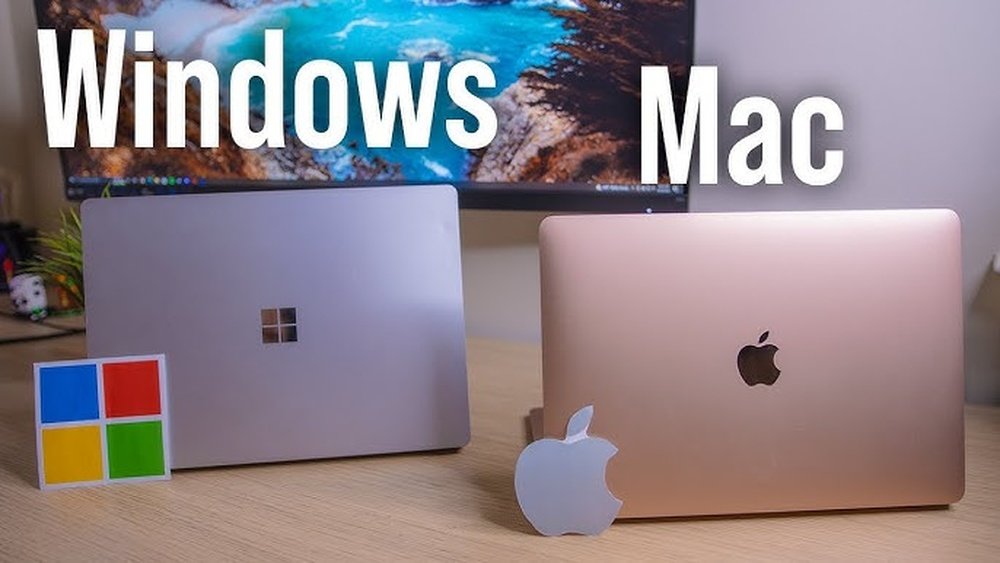
Every fall, over 19 million students enroll in U.S. colleges, and nearly every one needs a laptop. But the big question remains: MacBook or Windows laptop? It’s not just a tech choice—it’s about fitting your device to your campus life, major, and budget. There’s no universal winner, but knowing the differences can help you make the smartest call for your college years.
The College Laptop Dilemma
College students face unique challenges. They switch between research, projects, streaming, and social life—all on one device. Reliability, price, and compatibility matter more than just specs. The right laptop can help you stay organized, keep up with assignments, and even relax with a movie or some music after a long day. But the wrong device can cause headaches—slowdowns, app crashes, or running out of battery in the middle of class.
You’ll also need a laptop that survives being carried everywhere, sometimes with little care. Campus Wi-Fi can be unpredictable, and college schedules are rarely routine. So, the best laptop for college isn’t always the one with the most power. It’s the one that fits your real day-to-day needs, adapts to your workload, and doesn’t force you to constantly hunt for a charger or a repair shop.
Let’s break down what sets a MacBook and a Windows laptop apart for college life.
Core Differences: Macbook Vs Windows Laptop
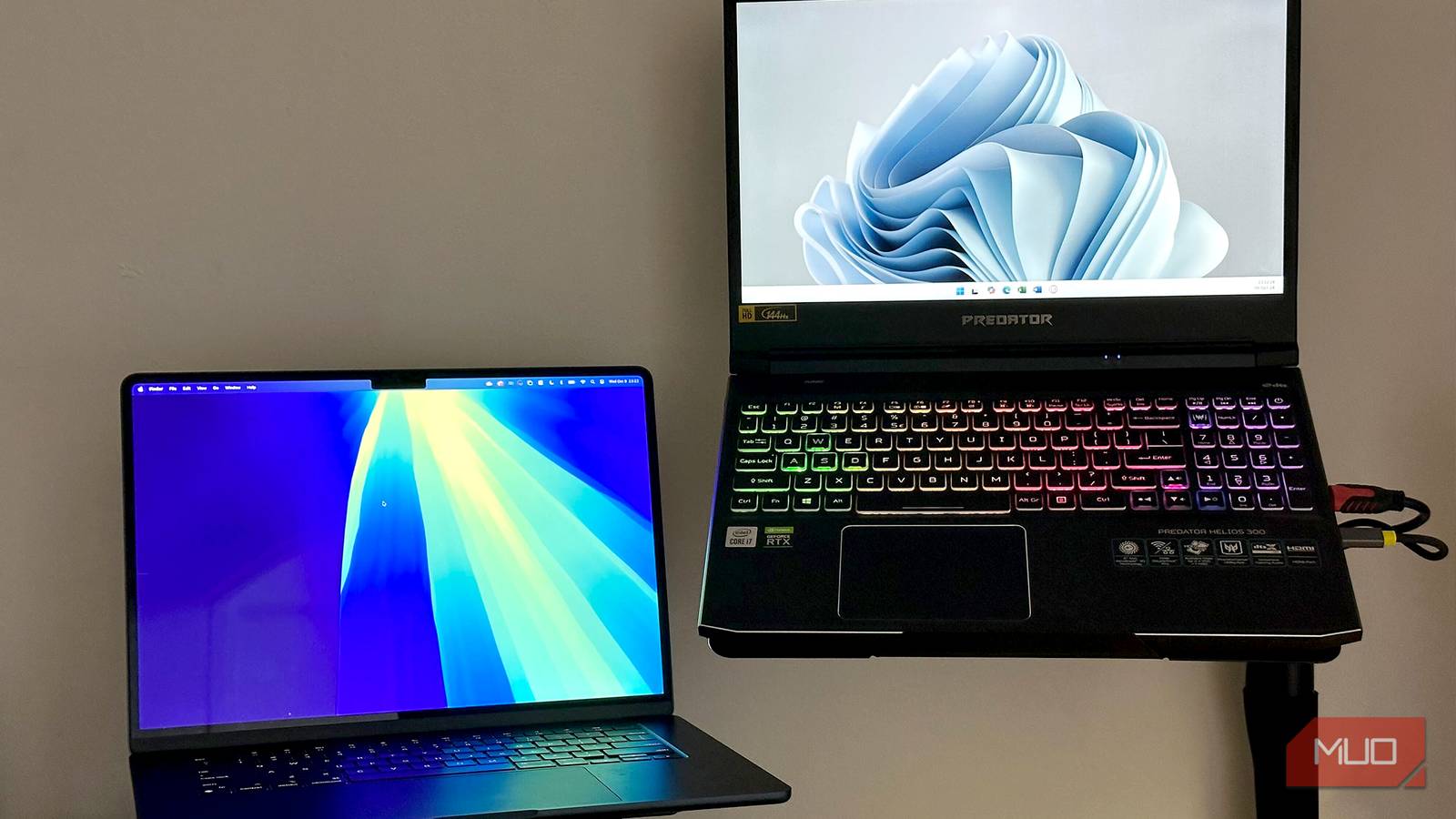
The MacBook (by Apple) runs macOS. Windows laptops are made by many brands (HP, Dell, Lenovo, etc.) and run Microsoft’s Windows system. This difference leads to major changes in:
- Software compatibility
- Price range
- Design and build
- Customizability
- Support options
Below is a quick comparison for students.
| MacBook | Windows Laptop | |
|---|---|---|
| Starting Price | ~$999 (MacBook Air) | $300–$2000+ |
| Customizable? | No (fixed specs) | Yes (many options) |
| Main Software | macOS + Apple apps | Windows OS + MS Office |
| Build Quality | Premium metal, lightweight | Varies (plastic to metal) |
| Repair & Support | Apple Stores, easy repairs | Many options, can be harder |
| Battery Life | 10–18 hours (real-world) | 4–12 hours (varies) |
It’s worth noting that Windows laptops come in a huge variety—there are lightweight, premium models that rival MacBooks in quality and price, as well as budget-friendly ones suited to basic needs. MacBooks, however, stick to a few models and consistent quality, making the choice simpler but less customizable.
Performance And Usability
Speed And Power
MacBooks use Apple Silicon (M1/M2/M3) chips. These chips are fast, cool, and energy-efficient. A MacBook Air (M2) can handle dozens of browser tabs, video calls, and editing apps with no lag. Even the base model is powerful for everyday student tasks—writing papers, researching, or making presentations.
Most Windows laptops use Intel or AMD chips. Some high-end Windows laptops beat MacBooks for gaming or 3D work. For example, laptops with dedicated NVIDIA or AMD graphics cards are the top choice for advanced gaming, animation, or VR. But cheap Windows laptops can feel slow, especially with less RAM or older processors. A $350 Windows laptop may struggle with multitasking or heavy apps.
Pro Tip
If you need a laptop for basic tasks (notes, web, email), both are strong. For heavy video editing or engineering, check the exact specs. Don’t just trust the brand—look at the processor (i5, i7, Ryzen 5, M2, etc. ), RAM (8GB is a safe minimum), and storage (SSD is much faster than a hard drive).
Battery Life
MacBooks are famous for long battery life. Many models last a full school day (10–18 hours) on a charge. You can often go two days without plugging in, especially if you’re mostly browsing or using Office apps. Battery life is a big reason students like MacBooks—they can work anywhere, anytime.
Windows laptops vary—some ultrabooks get 8–12 hours, but budget models often last just 4–6 hours. Gaming laptops, with their powerful graphics, might last only 2–3 hours without a charger. If you have a long commute or back-to-back classes, battery life becomes even more important.
Remember, battery life drops as your laptop ages—MacBooks tend to keep their battery strength longer.
Design And Portability
MacBooks are thin, light, and have a sturdy unibody aluminum build. This is ideal for students carrying them across campus. The metal body also resists dents and looks stylish. The trackpad and keyboard are among the best in the industry, making typing and navigation smooth.
Most Windows laptops are now slim too, but some are bulkier (especially gaming laptops or cheaper models with big batteries). Touchscreen Windows laptops (2-in-1 convertibles) are a unique option if you like taking handwritten notes or drawing.
Key insight: Many students overlook laptop weight. A 2.8 lb MacBook Air feels much lighter in a backpack than a 5 lb gaming laptop. Over a semester, that difference adds up—especially if you walk a lot on campus.
Software Compatibility
Academic Software Needs
Some majors require specific software:
- Engineering, architecture: Often need apps like AutoCAD, SolidWorks, which mainly run on Windows. While Mac users can sometimes use “virtual machines” or remote desktop, performance and compatibility may suffer.
- Art, design, video: Adobe Creative Suite works on both. Apple’s Final Cut Pro is Mac-only. Some music production tools (GarageBand, Logic Pro) are also Mac-only.
- Business, general studies: MS Office runs everywhere, but Access is Windows-only. Some finance or statistics programs (like SPSS or specialized Excel add-ins) may be easier to use on Windows.
If your department or professors require a certain program, always check before buying. Sometimes, colleges have computer labs with special software if your laptop can’t run it.
App Stores And Updates
- MacBooks: Get regular macOS updates, fast security patches, and a clean App Store. Most software installs are simple and safe.
- Windows laptops: More software choices, but updates can interrupt or be confusing. You may run into forced restarts or updates during class if you’re not careful. At the same time, Windows offers access to many niche or older programs that aren’t available on Mac.
Fact Vs Myth
| Claim | Fact or Myth? |
|---|---|
| All college software works on both. | Myth. Some apps are Windows-only or Mac-only. |
| Macs can’t get viruses. | Myth. Macs are safer, but not immune. |
| Windows is better for gaming. | Fact. Most games are made for Windows. |
| Macs need less maintenance. | Fact. Fewer background apps, fewer slowdowns. |

Credit: www.rtings.com
Price, Value, And Affordability
Purchase Price
- MacBooks: Start at $999 (Air), $1299+ (Pro). Prices are stable, but high upfront. Student discounts or back-to-school deals can sometimes save $100–$200 or offer free headphones.
- Windows laptops: Start at $300 for basic models. High-end models (Surface, XPS) cost $1200–$2500. You get more options to fit your budget, but the cheapest models may not last long or perform well.
Longevity And Resale
A MacBook Air can last 5–7 years with good care and still sell for $400–$600 used. Many Windows laptops lose value faster, especially low-cost ones. Premium Windows laptops (like Dell XPS or Lenovo ThinkPad) hold their value better.
If you plan to upgrade after a few years, MacBooks are easier to sell. If you just want a device for four years and don’t care about resale, a Windows laptop can save you money upfront.
Repair And Warranty
AppleCare+ is popular for students—covers accidents and hardware for 3 years. Most Windows laptops have 1-year standard warranty; extended plans vary by brand. Some brands, like Dell or Lenovo, offer on-site or next-day service for a price.
Extra insight: Many students forget about accidental damage (spills, drops). AppleCare+ makes repairs simple, but always check the cost of replacement parts for your chosen model—some Windows laptops can be expensive to fix if out of warranty.
Tip
Don’t just compare purchase price. Consider total cost of ownership—including repairs, upgrades, and resale value. Over four years, a more expensive laptop that lasts longer and sells for more can be a better deal.
Customization And Upgrades
Macbook Limits
MacBooks are not upgradeable. RAM, storage, and battery are fixed. You must choose specs at purchase. This is simple for non-technical users, but risky if you underestimate your needs. For example, buying a MacBook Air with 256GB storage can fill up quickly with photos, videos, and apps.
Windows Laptop Flexibility
Most Windows laptops let you upgrade RAM or swap SSDs. Desktop-replacement models offer even more options. This is great for tech-savvy students or those who want to save money by upgrading later.
Beginner insight: Many students don’t realize how quickly storage fills up with photos, videos, and apps. Upgrading storage later can be cheaper on Windows. Also, if your laptop slows down after a few years, adding more RAM can give it new life—an option not available for MacBooks.
User Experience And Ecosystem
Apple Ecosystem
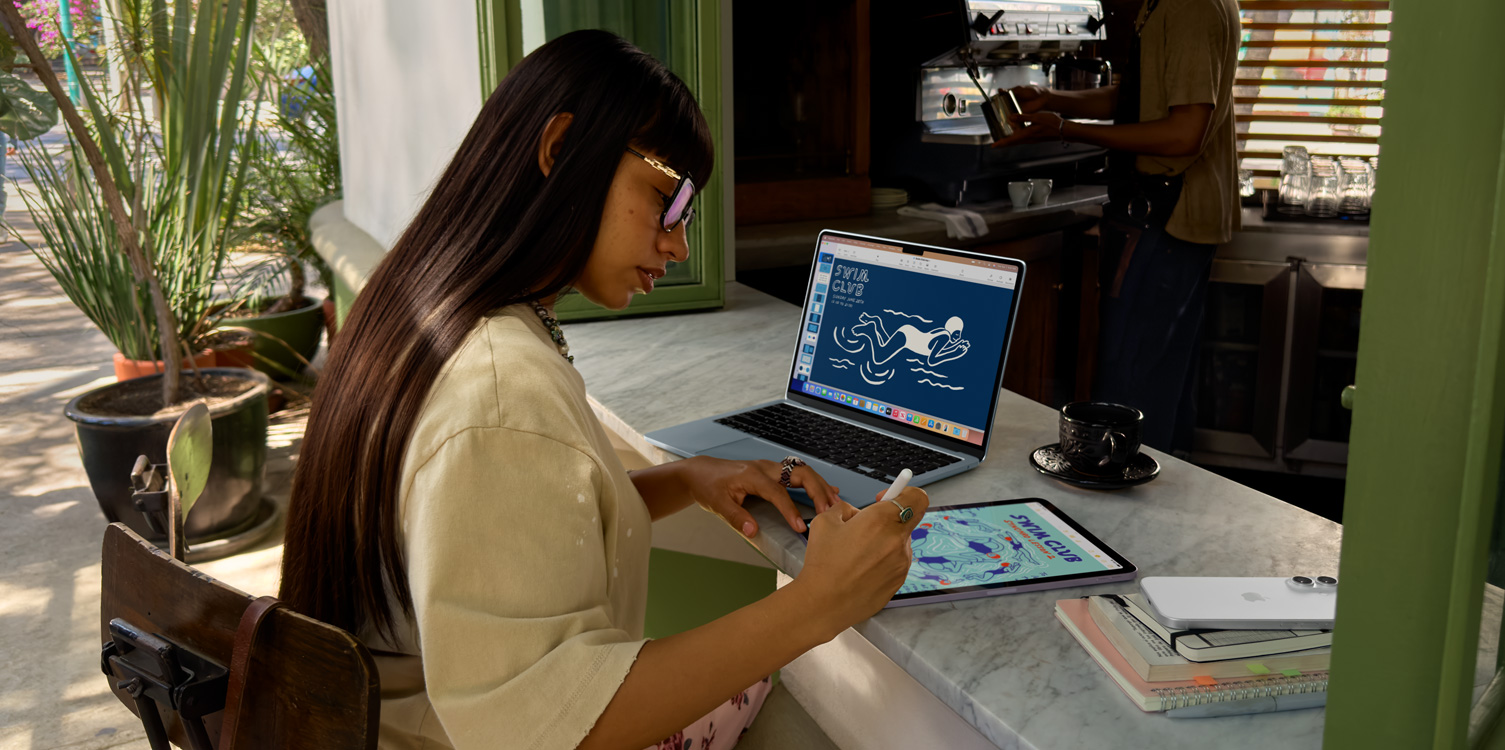
If you already own an iPhone or iPad, a MacBook fits seamlessly. Features like AirDrop, Handoff, and iMessage sync are exclusive to Apple devices. You can copy text on your iPhone and paste it on your MacBook instantly, or answer calls and texts from your laptop.
Photos, notes, and reminders all sync across Apple devices. For students who want everything to “just work” together, this is a big advantage. AirPods also switch easily between Apple devices.
Windows Ecosystem
Windows laptops play well with Android phones, Office 365, and gaming devices like Xbox. You’ll find more choices in accessories, docks, and external screens. Some Windows laptops also support touchscreen and stylus input, which is useful for digital art or handwritten notes.
Windows 11 has improved how Android phones connect—letting you reply to texts or transfer photos easily if you use apps like “Phone Link. ” For gamers, Windows is the only real choice, as most popular games are Windows-first.
Unique Feature
Only MacBooks support FaceTime and iMessage natively. Only Windows laptops can run many legacy or custom school apps. If your campus IT department uses Windows-based systems, a Windows laptop can make printing or connecting to the network easier.
Security And Privacy
MacBooks have strong built-in security (Touch ID, Apple T2 chip, regular updates). Malware is rare, but not impossible. Apple’s privacy policies are strict, and Macs are often targeted less by hackers because of their smaller market share.
Windows laptops are a bigger target for viruses and ransomware, but Microsoft Defender has improved. Smart students install a good antivirus and avoid suspicious downloads. Always be cautious about free downloads, especially from unfamiliar websites.
Key tip: College networks are risky. Always enable your laptop’s firewall and keep software updated. Don’t ignore update reminders—these often patch serious security holes. Consider using a VPN if you do sensitive work on public Wi-Fi.
Credit: www.apple.com
Support, Service, And Repairs
Apple Support
Apple has in-person support at Apple Stores or authorized providers. On-campus Apple pop-ups are common at big universities. Most issues are fixed same-day. Apple’s customer service is often highly rated, and you can schedule appointments easily.
Windows Support
Support depends on the brand. Dell, HP, and Lenovo have online chat and mail-in service, but in-person options are less common. Parts for older laptops can be harder to find. Some universities offer their own IT support for student laptops, but help may be limited for rare brands or custom models.
Student mistake: Waiting to fix a small issue. A broken hinge or battery can get worse quickly. Small problems are cheaper to fix early—don’t wait until your laptop won’t turn on.
Real-world Student Scenarios
For Creative Majors
MacBooks are popular in art, music, and film because of their screens, long battery life, and access to creative tools (GarageBand, Final Cut Pro). The color accuracy of MacBook displays is great for design work, and battery life means you can edit videos or music all day without plugging in.
For Engineering And Programming
Most engineering and computer science students choose Windows for program compatibility. Many coding tools work on Mac, but some advanced software is Windows-only. For example, MATLAB, SolidWorks, and some circuit design tools are Windows-first.
However, MacBooks are favored for web and mobile app development, especially for iOS apps. If you want to build iPhone apps, you need a Mac.
For General Studies
Either works well for writing papers, browsing, and Zoom calls. If cost is critical, a Windows laptop offers more choices. If you want fewer tech headaches, a MacBook is often simpler to manage.
Extra scenario: If you plan to study abroad or travel, consider repair support in other countries—Apple Stores are common in major cities worldwide, but support for Windows laptops depends on the brand.
Durability And Student Life
College is tough on laptops—crowded bags, spills, and long days. MacBooks have excellent build quality, but repairs are expensive if not covered by AppleCare. The aluminum body resists damage, but is not unbreakable.
High-end Windows laptops (Dell XPS, Lenovo ThinkPad) are also tough, but cheaper models can be fragile. Some Lenovo ThinkPad models even pass military durability tests, but expect to pay more for these features.
Insight: Students often ignore keyboard feel and screen quality. These matter for long study sessions. A comfortable keyboard and a bright, sharp screen help you avoid fatigue and eye strain.
Who Should Choose What?
When To Choose A Macbook
- You need long battery life and portability.
- You’re in a creative major.
- You want a device that “just works” with your iPhone or iPad.
- You plan to resell after graduation.
- You prefer fewer tech headaches and a simple user experience.
When To Choose A Windows Laptop
- You need specific Windows-only software.
- You want to upgrade RAM or storage.
- You’re on a tight budget.
- You like gaming.
- You want more hardware variety (touchscreen, 2-in-1, etc. ).
Pros And Cons At A Glance
Here’s a quick look at the main pros and cons for each.
| MacBook | Windows Laptop | |
|---|---|---|
| Pros |
|
|
| Cons |
|
|
Making The Final Decision
Choosing between a MacBook and a Windows laptop is a personal choice. Here are the main factors students should weigh:
- Budget – How much can you spend now? Will you need to upgrade later?
- Major – Does your program require certain apps?
- Portability – Will you carry your laptop everywhere?
- Ecosystem – Do you use other Apple or Windows devices?
- Upgrades – Do you want to tinker or keep it simple?
- Resale value – Will you sell or keep after graduation?
Decision Tree
- If you want maximum value and flexibility, lean Windows.
- If you want simplicity and top hardware, pick MacBook.
- If your major demands a specific platform, always follow those needs.
Extra tip: If you’re stuck, talk to upperclassmen in your major or your campus IT department. They know what works best for your classes and what breaks down most often.
Key Takeaways
key Points:
- MacBooks offer best-in-class battery, build, and resale value, but cost more and can’t be upgraded.
- Windows laptops cover every price point, allow upgrades, and support more software, but quality varies widely.
- Match your laptop to your major, campus life, and budget—not just the brand.
- Think about long-term support and repair, not just the first year.
Frequently Asked Questions
Is A Macbook Worth The Extra Cost For College Students?
If you value battery life, build quality, and plan to keep or resell your laptop for years, a MacBook is often worth it. For students on a tight budget or needing Windows-only apps, a good Windows laptop is smarter. Consider how much you’ll use your laptop outside class—if you’re always on the move, that extra cost may pay off in convenience and reliability.
Can I Run Microsoft Office On A Macbook?
Yes. Microsoft Office (Word, Excel, PowerPoint) works smoothly on MacBooks. However, Access and some advanced Excel features are only on Windows. If you need to use databases or advanced macros, double-check with your professors.
Which Laptop Is Better For Coding Or Engineering Majors?
Most engineering software is Windows-only, so a Windows laptop is safer. Coding can be done on both, but MacBooks are popular for web and app development. Always check your program’s requirements. If you need to run Linux, both platforms can do it, but MacBooks make Unix commands easy out of the box.
Are Windows Laptops Less Secure Than Macbooks?
Windows laptops have more viruses, but good security habits (strong passwords, updates, antivirus) keep you safe. MacBooks have strong built-in security but are not immune. Both are safe if well maintained. Avoid downloading unknown files and always update your software.
Where Can I Find More Details On Laptop Specs And Requirements?
Many universities publish their laptop recommendations. For a trusted, neutral guide, see Wikipedia’s laptop comparison.
—
When it comes to the MacBook vs Windows laptop debate for college students, there’s no single winner. The best choice is the one that fits your major, budget, and daily life—so make your pick with confidence and focus on your studies, not just your specs.
Credit: www.makeuseof.com